



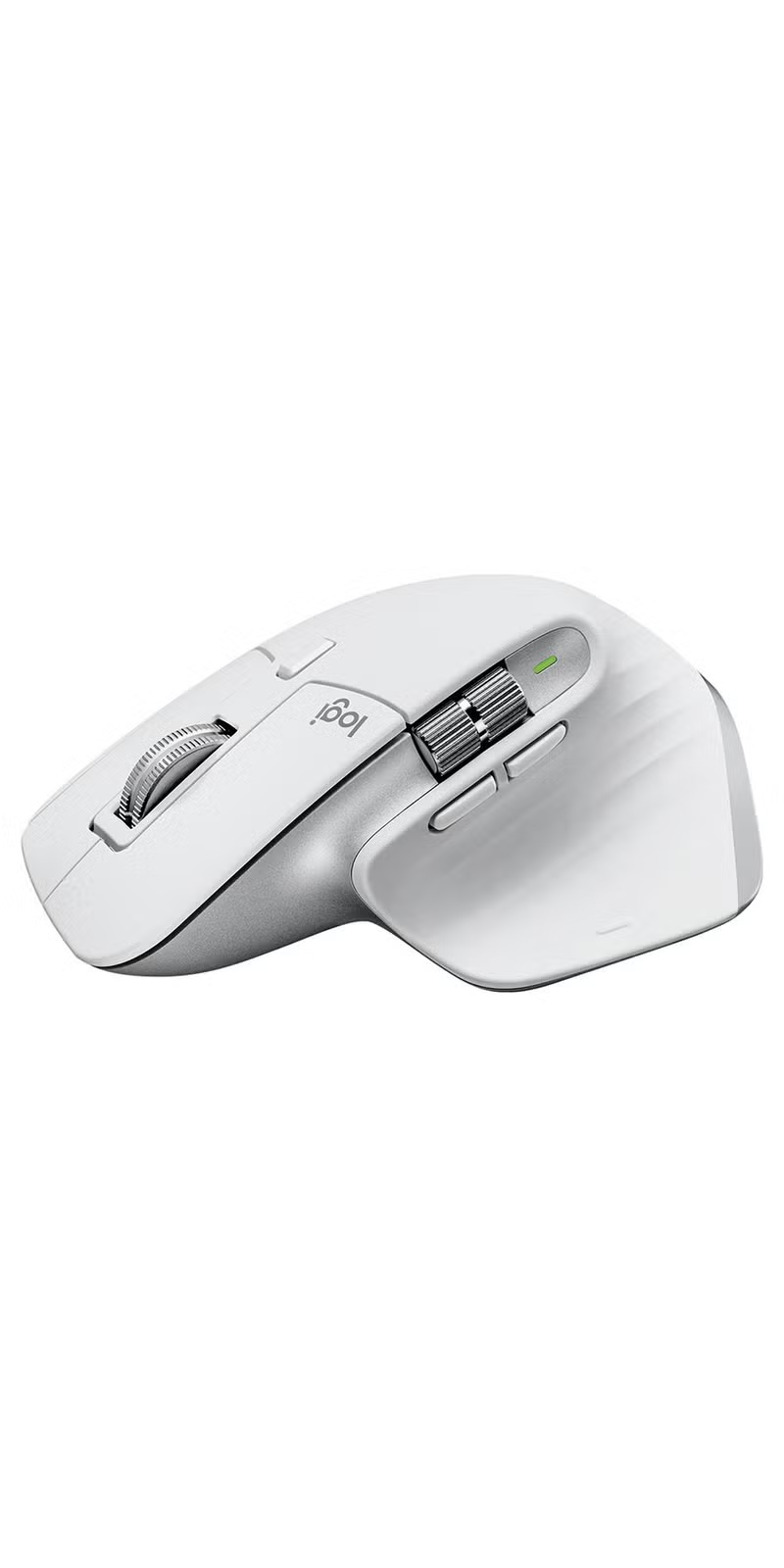



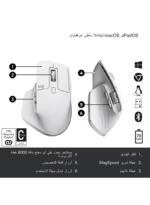
MX Master 3S Wireless Performance Mouse With Ultra Fast Scrolling Pale Grey
Elevate your virtual meetings and streaming with the Brio 100 Full HD Webcam, featuring auto-light balance, a built-in mic, a privacy shutter, and easy USB-A connectivity for seamless use with Microsoft Teams, Google Meet, Zoom, and more.
Original price was: 5,999.00 EGP.4,799.00 EGPCurrent price is: 4,799.00 EGP.
Pick up from the Woodmart Store

To pick up today
Free
Courier delivery

Our courier will deliver to the specified address
2-3 Days
Free
DHL Courier delivery

DHL courier will deliver to the specified address
1-3 Days
Free
Warranty 1 year

Free 30-Day returns

Payment Methods:

Description
Logitech MX Master 3S Wireless Performance Mouse – Pale Grey


Wireless Mouse Logitech MX Master 3S Performance
Wireless Mouse Logitech MX Master 3S is designed for professionals, creators, developers, office users, and power users who need precise tracking, advanced scrolling, multi-device control, and long rechargeable battery life. It combines Logitech Darkfield high-precision tracking with sensitivity up to 8000 DPI, Quiet Click technology, MagSpeed electromagnetic scrolling, Bluetooth and Logi Bolt wireless connectivity, Easy-Switch support for up to three devices, and USB-C charging. With its sculpted right-handed design and professional Graphite finish, the MX Master 3S is ideal for spreadsheets, editing, browsing, programming, creative applications, office work, and advanced everyday productivity.
Advanced 8000 DPI Darkfield Tracking
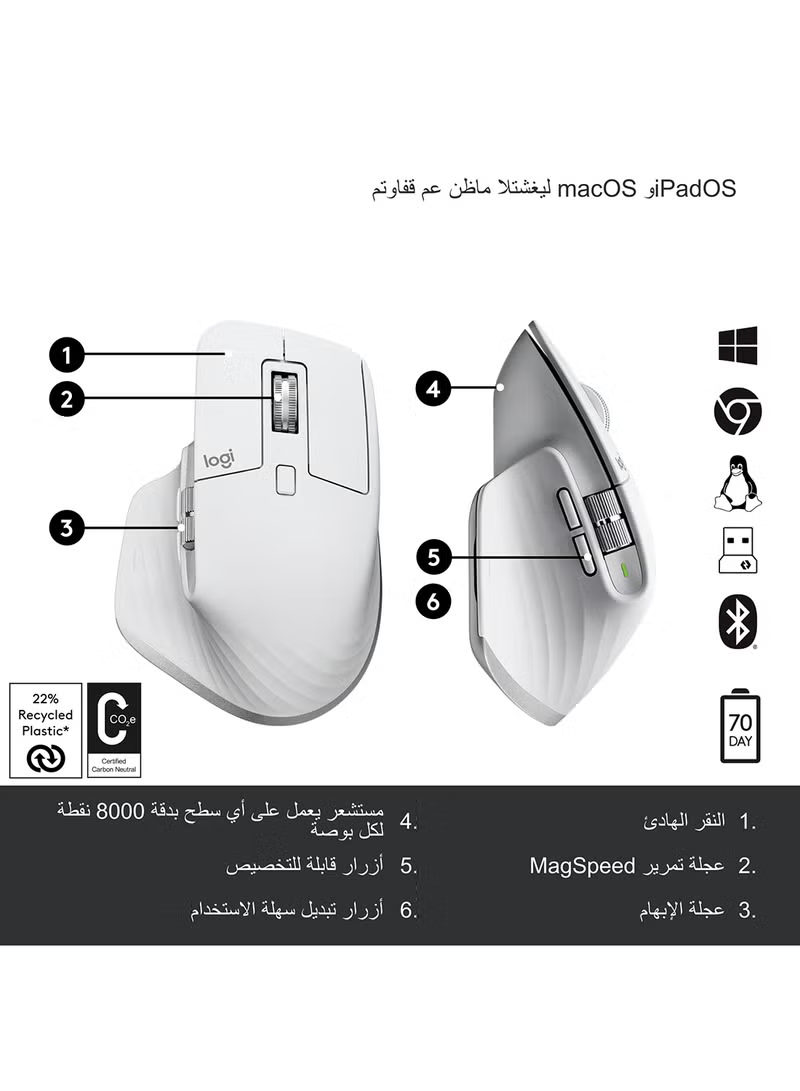
The Logitech MX Master 3S uses a Darkfield sensor capable of tracking at up to 8000 DPI. This high sensitivity provides precise pointer control across large and high-resolution displays, while also allowing users to reduce sensitivity when more detailed cursor movement is needed.
The sensor is designed to work on many surfaces, including compatible glass surfaces with sufficient thickness. This makes the mouse especially useful for professionals who work across different desks, meeting rooms, offices, and travel environments. :contentReference[oaicite:1]{index=1}
Wireless Mouse with Quiet Click Technology
The MX Master 3S features Logitech Quiet Click technology, which reduces click noise by approximately 90% compared with the MX Master 3 while maintaining a familiar tactile response. This makes it suitable for shared offices, home workspaces, classrooms, late-night work, and environments where repeated clicking noise may be distracting.
Quiet operation can improve comfort during long work sessions while still providing the responsive feel expected from a premium productivity mouse. :contentReference[oaicite:2]{index=2}
MagSpeed Electromagnetic Scrolling
One of the standout features of the MX Master 3S is the MagSpeed electromagnetic scroll wheel. It can move through up to 1000 lines per second, allowing users to quickly navigate long documents, spreadsheets, timelines, websites, and large data sets.
The wheel also supports precise line-by-line scrolling when detailed control is required, giving users a useful balance between speed and accuracy. :contentReference[oaicite:3]{index=3}
Bluetooth and Logi Bolt Connectivity
The MX Master 3S supports both Bluetooth Low Energy and Logi Bolt wireless connectivity. Users can choose Bluetooth when they want to keep USB ports free, or use the Logi Bolt receiver for a secure and reliable connection in professional environments.
Logitech specifies a wireless range of up to approximately 10 meters under suitable conditions. :contentReference[oaicite:4]{index=4}
Connect up to Three Devices
Easy-Switch support allows users to pair the mouse with up to three compatible devices and move between them quickly. This feature is especially useful for professionals who work with a desktop computer, laptop, and another supported device during the same working day.
Instead of keeping multiple mice on the desk, users can manage several systems from one device and switch between them when needed. :contentReference[oaicite:5]{index=5}
Logitech Flow for Multi-Computer Work
Through Logi Options+, Logitech Flow can help users work across multiple compatible computers and move text, images, or files between supported systems. This can significantly improve productivity for users who regularly work between separate devices.
Logi Options+ also allows customization of supported buttons, scrolling behavior, tracking speed, and application-specific shortcuts. :contentReference[oaicite:6]{index=6}
Up to 70 Days Battery Life
The MX Master 3S uses a rechargeable 500mAh Li-Po battery and can provide up to approximately 70 days of operation on a full charge, depending on usage conditions. This long battery life reduces charging interruptions and makes the mouse suitable for demanding professional workflows.
USB-C charging also provides a modern and convenient way to keep the mouse powered during everyday use. :contentReference[oaicite:7]{index=7}
Professional Right-Handed Design
The sculpted body is designed for right-handed users and provides a supportive shape for long work sessions. Logitech lists dimensions of approximately 124.9 mm in height, 84.3 mm in width, and 51 mm in depth, with a weight of around 141 grams.
This substantial shape gives the mouse a stable and controlled feel suitable for office work, creative applications, programming, and precision navigation. :contentReference[oaicite:8]{index=8}
Designed for High-Resolution Monitors
The 8000 DPI tracking capability is particularly useful for users working with high-resolution displays or multi-monitor setups. Higher sensitivity allows the cursor to move quickly across large desktop areas without requiring excessive physical hand movement.
This makes the MX Master 3S well suited to professionals using 4K monitors, ultrawide displays, or multiple screens.
Customizable Productivity Controls
Logi Options+ software allows supported buttons and features to be customized according to different applications. Users can create workflows for browsers, spreadsheets, creative software, video editing tools, and productivity platforms.
This flexibility helps turn the mouse into more than a basic pointing device by allowing frequently used functions to be placed directly under the user’s fingers.
Ideal for Creative and Office Work
The combination of precise tracking, quiet clicks, multi-device switching, MagSpeed scrolling, and customizable controls makes the MX Master 3S especially useful for office professionals, designers, editors, developers, and content creators.
It can handle documents, spreadsheets, image editing, video timelines, web development, browsing, project management, and general desktop navigation with a strong focus on productivity.
Why Choose Logitech MX Master 3S?
This Wireless Mouse combines 8000 DPI Darkfield tracking, Quiet Click technology, MagSpeed scrolling, Bluetooth, Logi Bolt, Easy-Switch, Logitech Flow, USB-C charging, and long battery life in one professional productivity device.
Best 8000 DPI Choice for Professional Productivity
Choose this Wireless Mouse if you need a premium Logitech model for office work, creative applications, programming, spreadsheets, editing, and multi-device productivity. The Logitech MX Master 3S delivers precise tracking, quiet operation, advanced scrolling, flexible connectivity, and long rechargeable battery performance.
Explore more computer accessories and technology products at Smart Land. For official product information, visit the official Logitech MX Master 3S page.
Specifications
Overview


Reviews
Clear filtersThere are no reviews yet.